Varonis Data Security - SaaS
Overview
Varonis offers solutions to track and protect data.
Warning
Important note - This format is currently in beta. We highly value your feedback to improve its performance.
- Vendor: Varonis
- Supported environment: SaaS
- Detection based on: Alert
- Supported application or feature: Data loss prevention
Configure
How to create API token
- Log in the Varonis console
-
Go to
Configuration>API Keys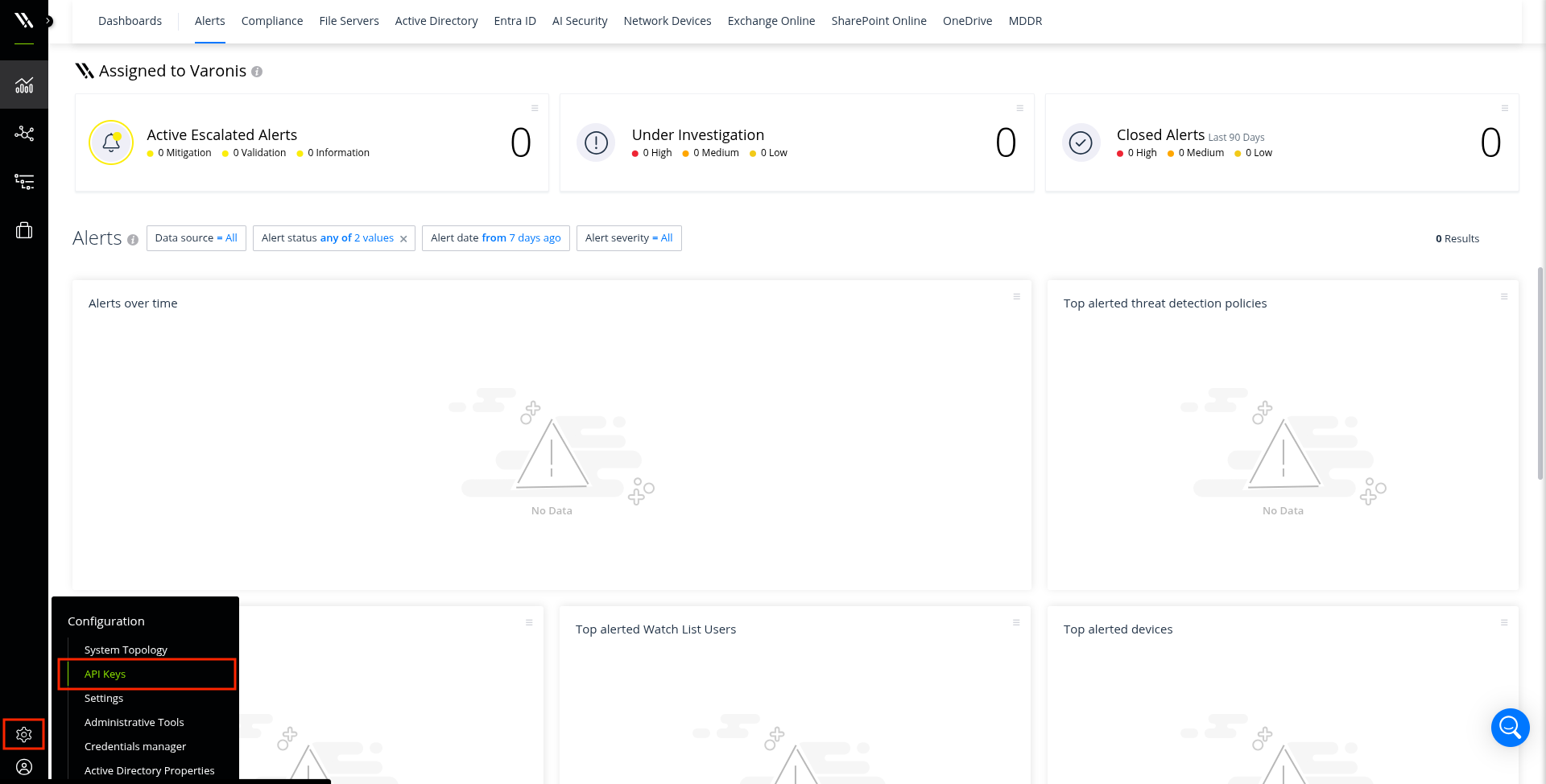
-
Click
+ New API Key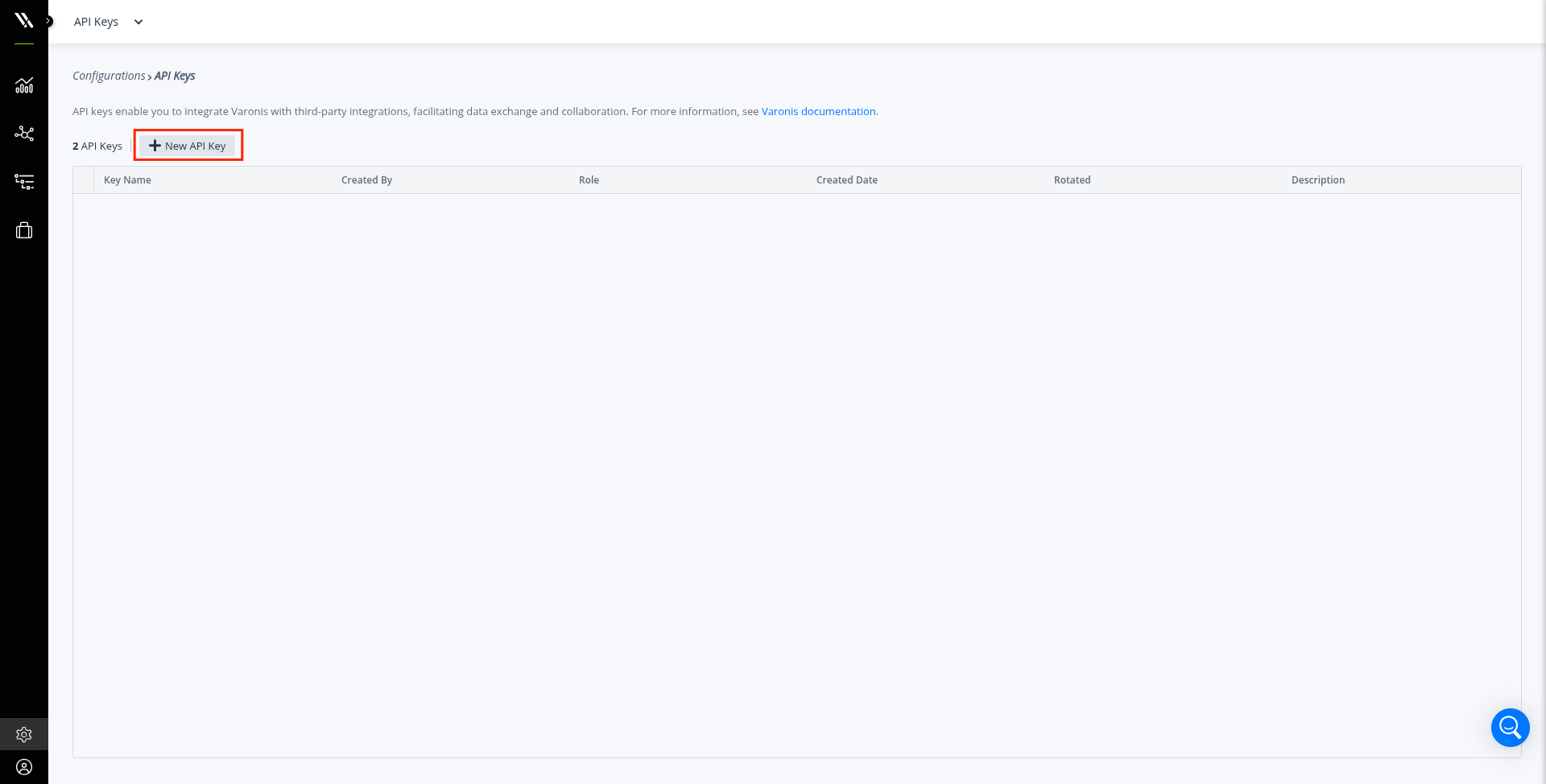
-
Type a name
- Select
Threat Detection Integratoras a role - Type a description
-
Click
Generate Key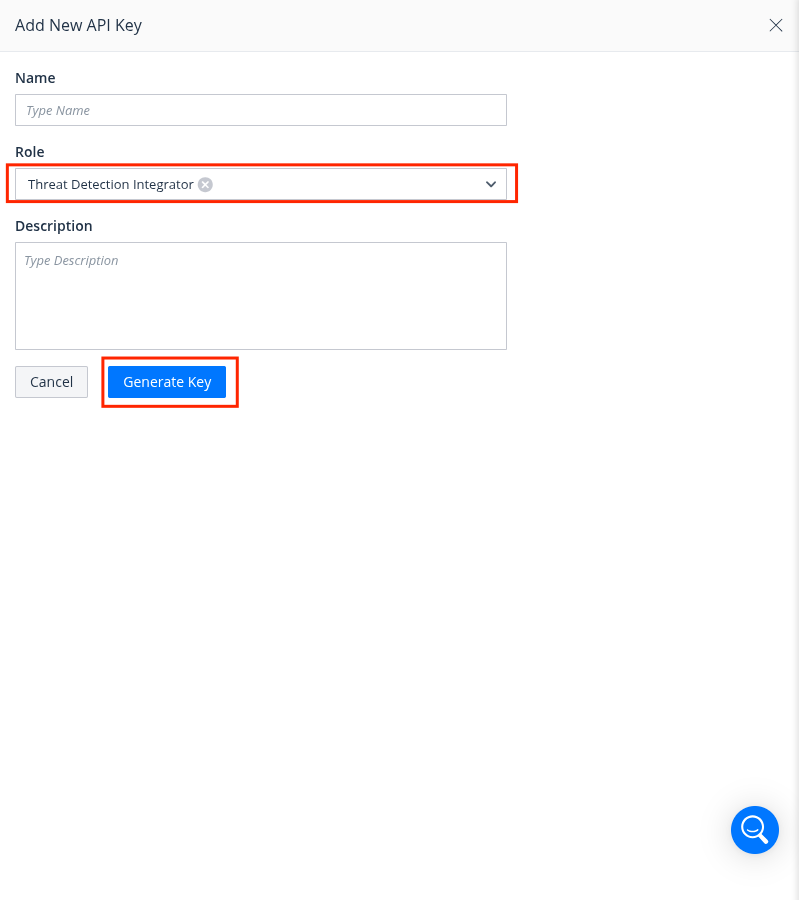
-
Copy the generated API Key
-
Click
Done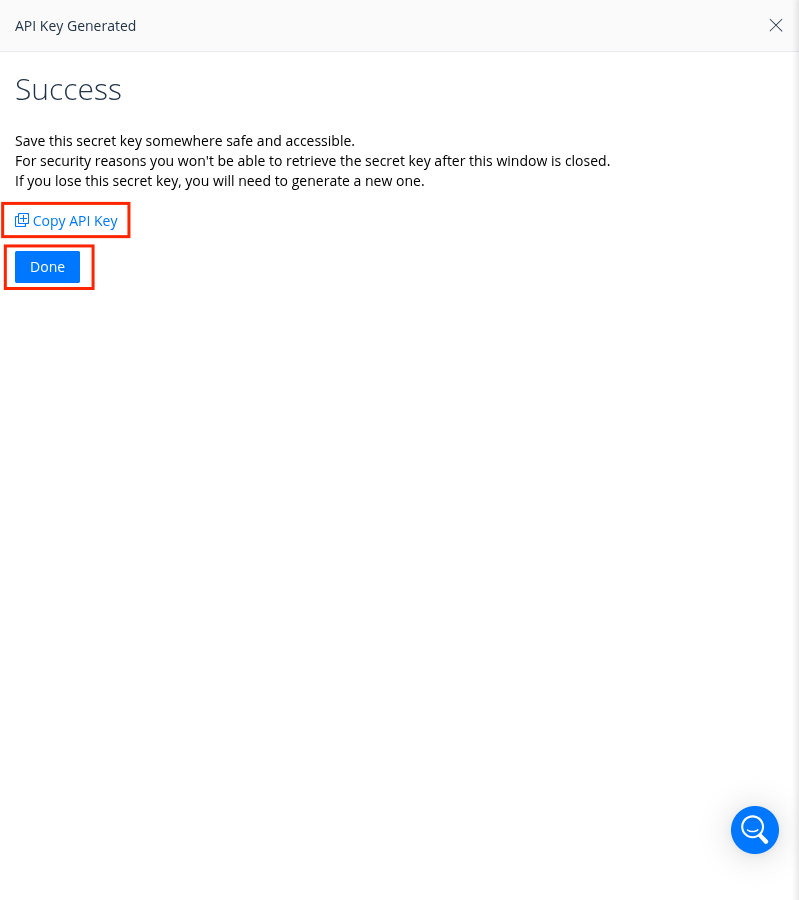
Create an intake
- Go to the intake page and create a new intake from the format
Varonis Data Security SaaS. - Set up the intake configuration with the Base URL (looks like
https://YOUR_TENANT.varonis.io) and API token.
Detection section
The following section provides information for those who wish to learn more about the detection capabilities enabled by collecting this intake. It includes details about the built-in rule catalog, event categories, and ECS fields extracted from raw events. This is essential for users aiming to create custom detection rules, perform hunting activities, or pivot in the events page.