Create a subscription
You can create a subscription from the Subscriptions page when Self-Service is enabled for your account. The wizard guides you through the module, plan, commercial terms, usage settings, and final confirmation.
Prerequisites
- You can access the target community.
- You have permission to manage community subscriptions.
- Create a subscription is available from Add subscription.
- You know the module, plan, start date, and capacity that you want to configure.
Creation is unavailable
If Add subscription only opens Assign a subscription, creation is not enabled for your workspace or account. Contact Sekoia if you need to create a new subscription.
Create the subscription
Open the wizard
- Open Subscriptions.
- Click Add subscription.
- Click Create a subscription.
- Follow instructions.
Note
The available modules depend on the catalog enabled for your workspace. For example Defend, Intelligence, or Reveal.
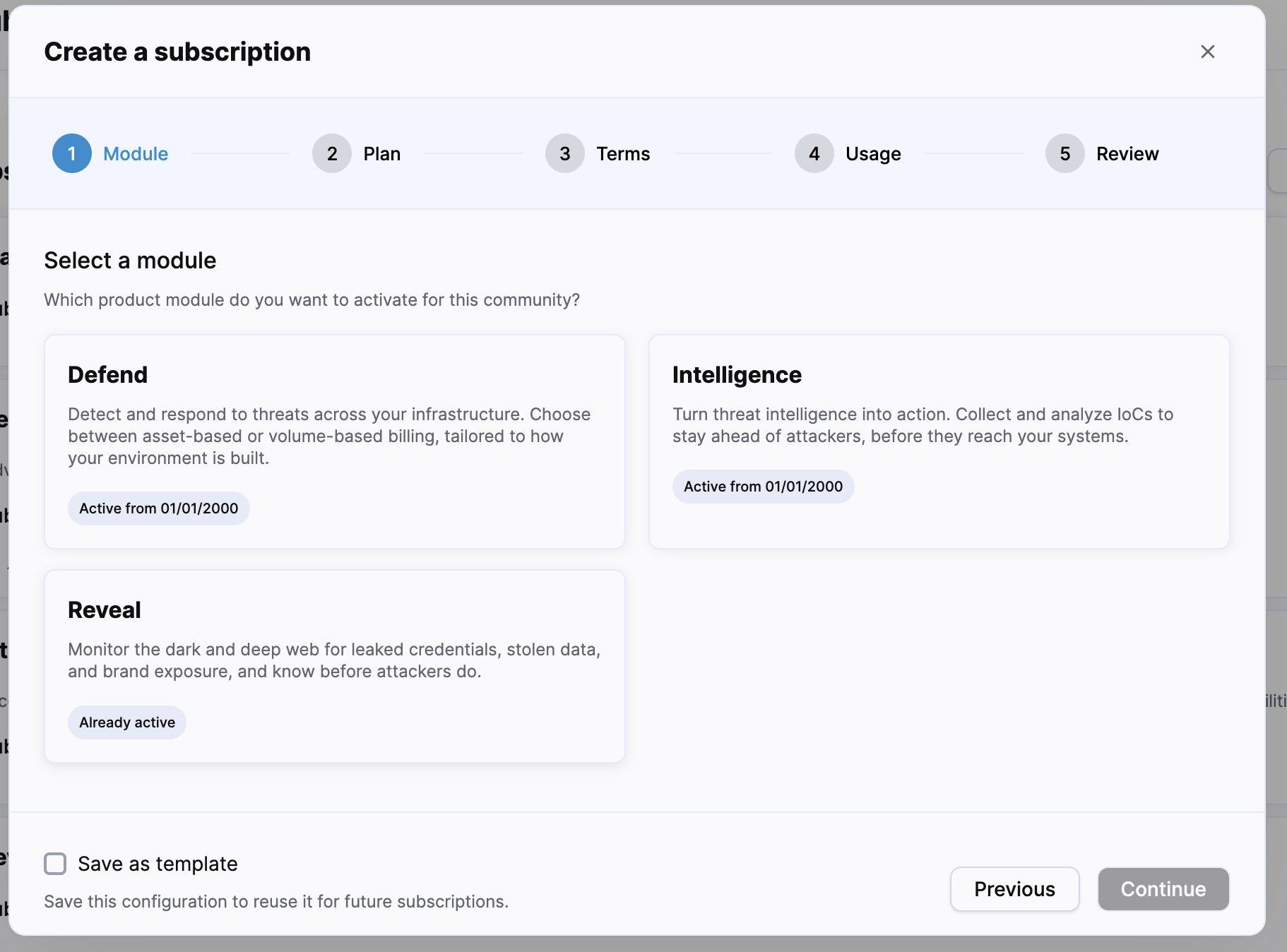
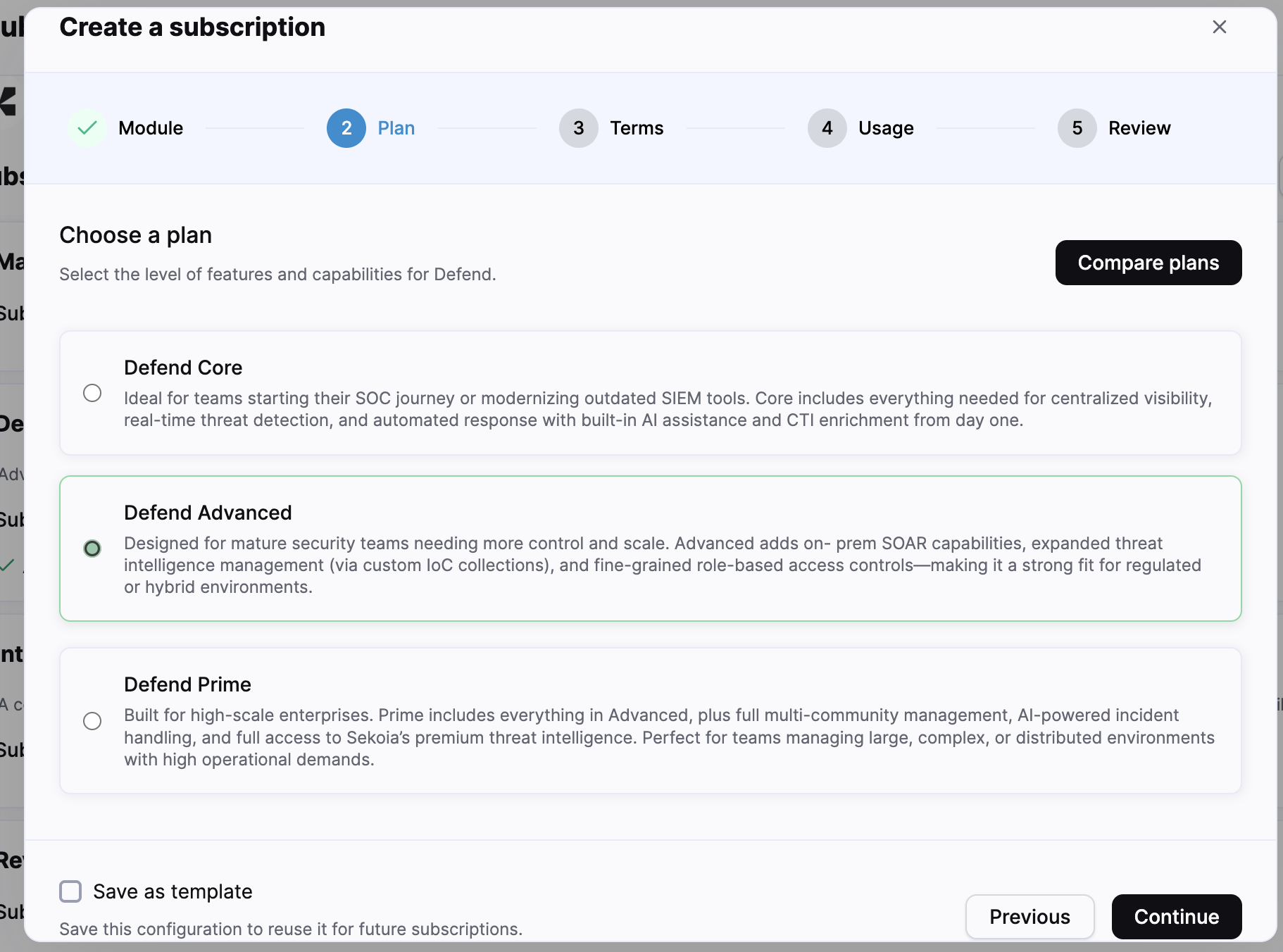
The current interface displays a fixed-term duration between 12 and 36 months. Available durations and payment methods depend on the selected configuration.
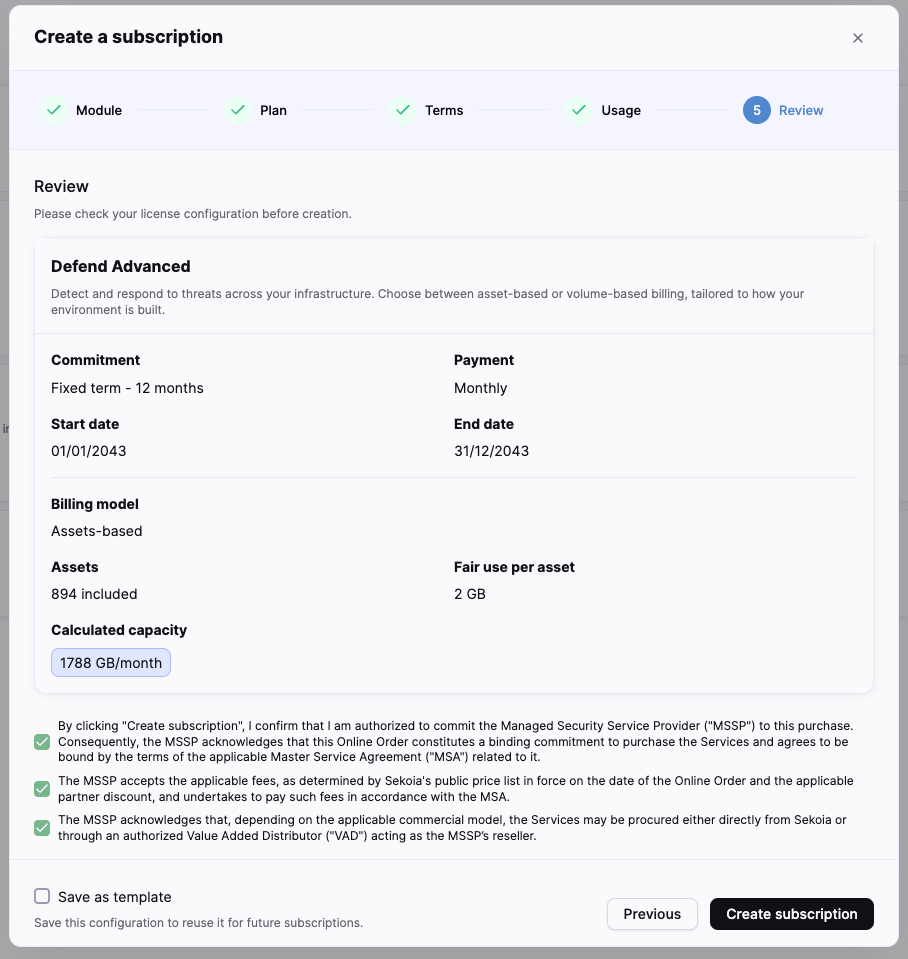
For the Defend Asset-based model, configure the number of assets and the available fair-use allocation per asset. The form calculates the included monthly capacity from these values.
For the Volume-based model, configure the data volume supported by the selected offer. The displayed fields and limits depend on the module and plan.
Check the capacity
Verify the asset count or data volume before continuing. These values define the included capacity and can affect usage billing or overage charges.
Save the configuration for future Subscription creations
You can select Save as template, in order to reuse the configuration for another subscription. Check the dates and community-specific capacity for every new subscription.
Review and confirm
The confirmation button remains disabled until the required confirmations are selected.
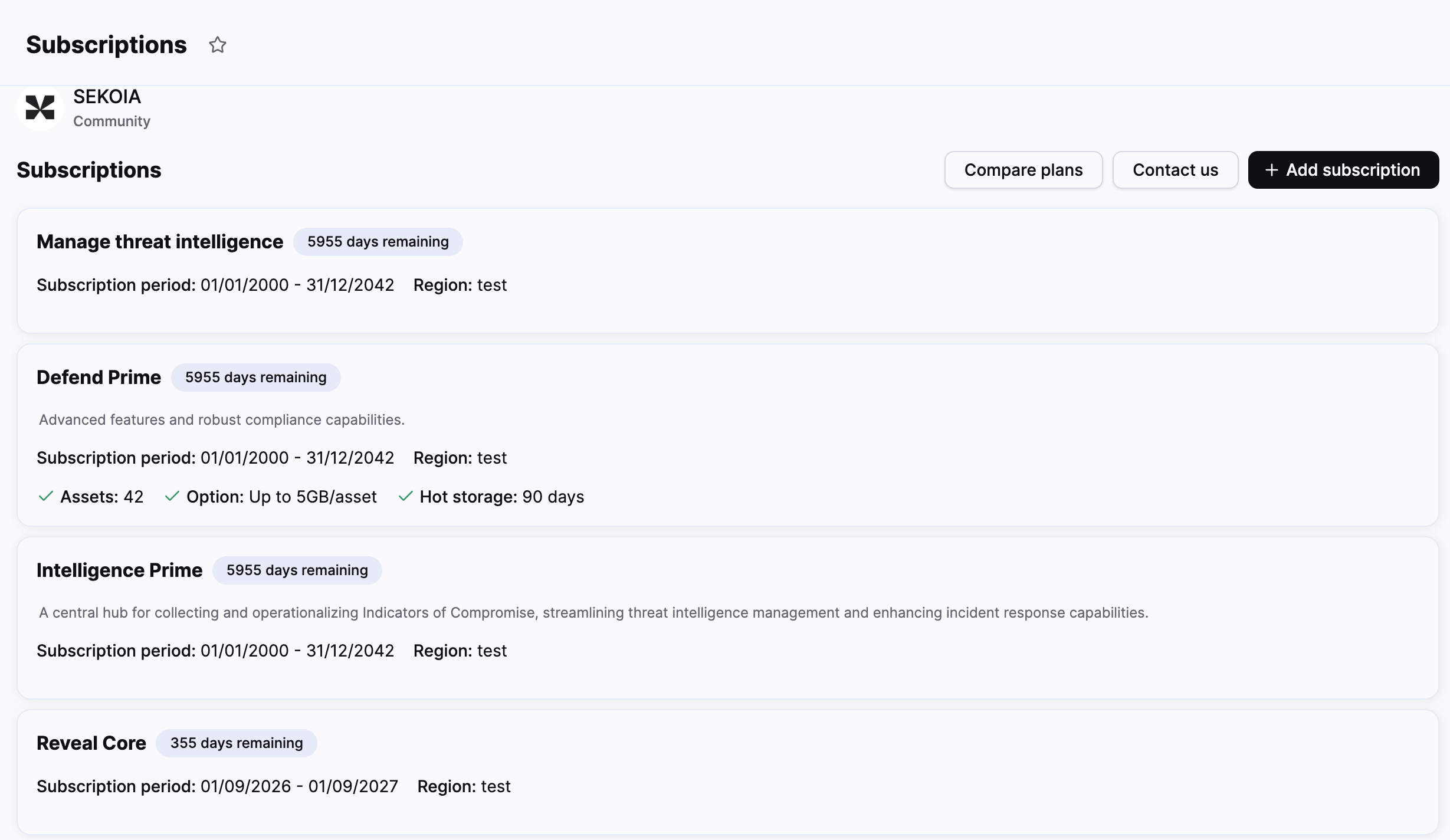
After confirmation, Sekoia attaches the subscription to the target community. The subscription appears on the Subscriptions page with the available module, plan, period, region, and capacity information.
Related articles
- Subscriptions: Overview of the Subscriptions page and its available workflows.
- Assign a subscription: How to attach an existing subscription instead of creating one.